
For private school owners and administrators
Run the whole school from one place.
Registrar, cashier, classes and quizzes, HR, the gate and the parent app. Alpas replaces the spreadsheets, logbooks and group chats holding your school together.
Anna Reyes entered campus
Main gate · ID scan
Sample school
K–12
DepEd class record and report cards
Senior High
Strands and track subjects
College
Per-unit tuition, transcript, CHED graduation list
TESDA
C/NYC per unit, batches and hours
Coursework into the DepEd and college class record
Every record tagged to its own school
GCash, Maya and cards via PayMongo
Light on mobile data
Built in the Philippines
One class, three seats
Your whole class, on the system that keeps its grades.
A teacher marks once, and the class record, the learner's phone and the parent's list all follow from it. Nobody copies scores into a spreadsheet, and nobody signs in to a second system.
A quiz in nine question types, or a lesson added from your school's own library. Every type but the essay marks itself.
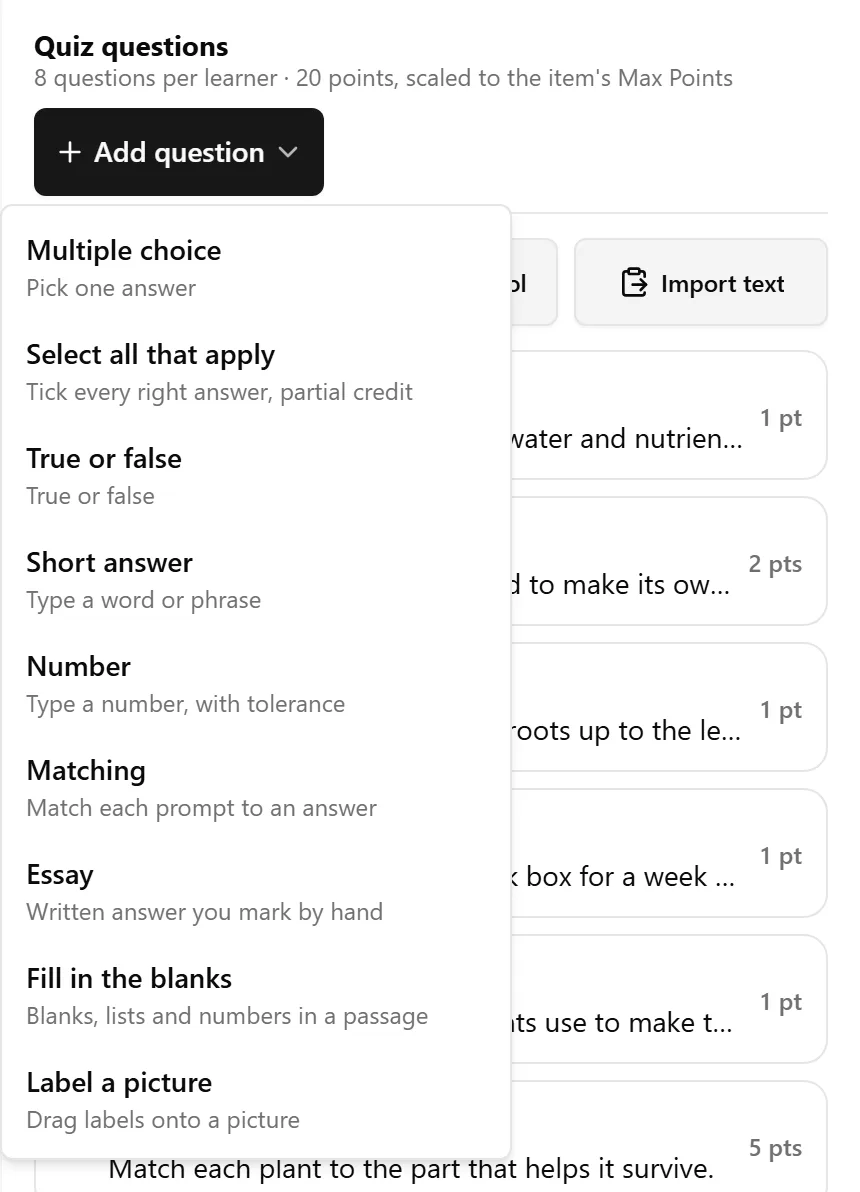
Real screens from a demo school, with sample data.
The whole roster beside the work: handed in, late, missing, returned. A draft reaches no one until the teacher returns it.
Returned once, it lands in its DepEd Order 8 column, or the college component that takes coursework. Nobody encodes it again.
Every learner on every open item, so missing work shows before the card does. In basic education, mastery by DepEd competency too.
Due dates in Manila time, in the class and on one calendar. Poor signal: save the week and answer offline. No device: print the packet.
In the phone's browser, with nothing to install. Each learner picks English or Filipino; your school sets the default.
The score, the teacher's comment and which part of the grade it counts toward, once the teacher returns it.
Each child's coursework and where it stands: graded, handed in, missing or still to do, and which part of the grade it feeds. Certificates too.
When the registrar approves a period, each linked parent gets a notice and a link to that child's grades, in English or Filipino. The notice never carries the mark.
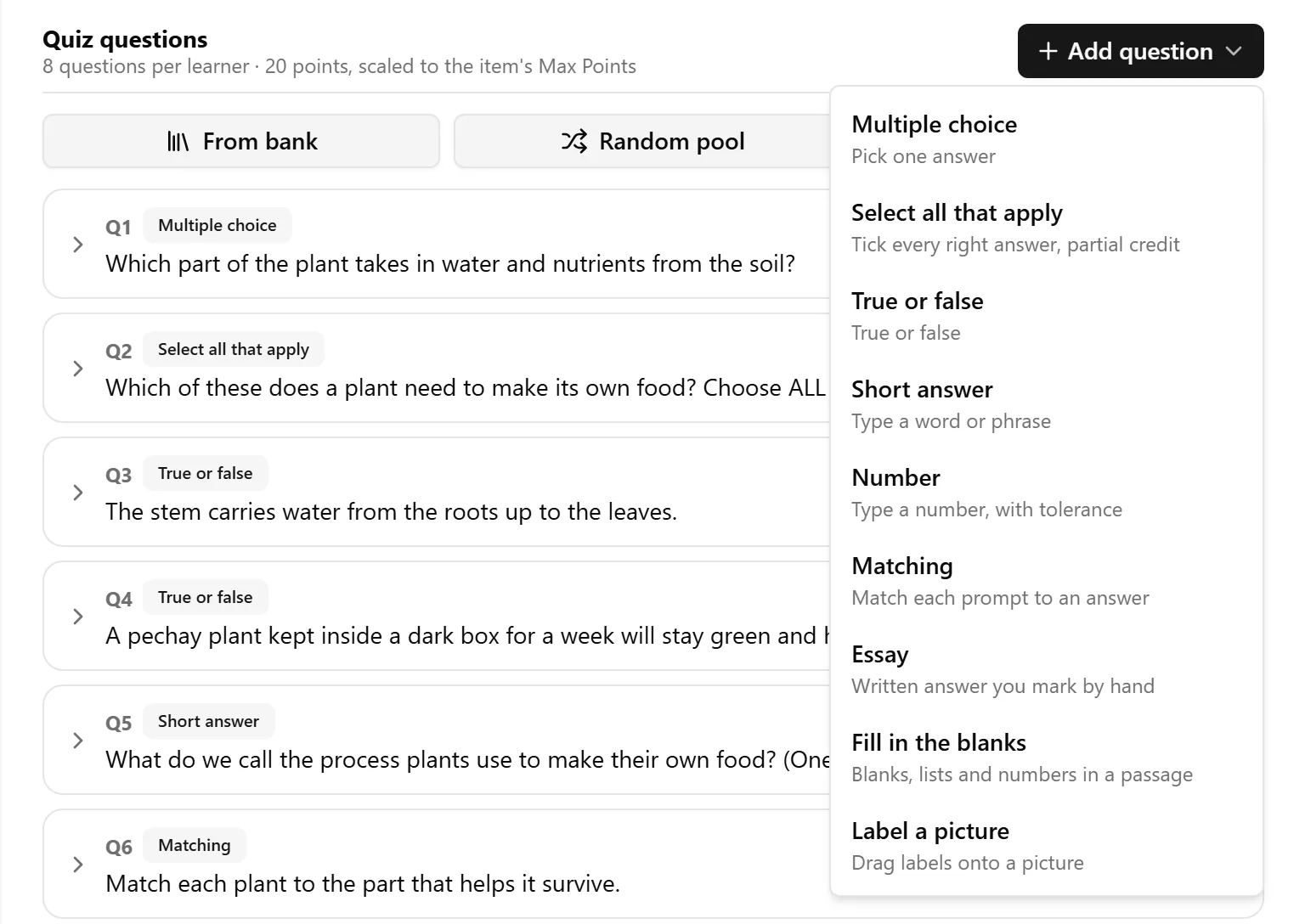
Real screens from a demo school, with sample data.
One poster. Marked once. Three people see it, and nobody typed it twice.
§ 01One school day
The school reaches Anna’s mother, wherever she is.
Illustrative walkthrough · sample school
Gate
Anna taps her ID at the gate, and her mother’s phone lights up.
Classroom
Her adviser sends her mother a message, right in the parent app.
Office
Signal No. 2. The suspension is declared once, and every parent is told.
Cashier
She pays by GCash into the school’s own account, and it posts to Anna’s ledger.
Registrar
The registrar approves the grades. The report card reaches her that evening.
The school came to her. She never had to call.
The rest of the year
After the bell, the year keeps running.
Card day, payday, voucher season and the school's own website, on the same platform as the school day.
Report cards from the class record
DO 8 weights and transmutation produce the SF9 report card, attendance included. Card day is generated, not typed.
Rubric grading
Projects scored on a rubric land in the class record as a real grade, no re-encoding.
Payroll with the statutory deductions
SSS, PhilHealth, Pag-IBIG and withholding tax per cutoff; at year-end the 13th month, BIR 2316 and the 1604-C alphalist.
Statement reconciliation
GCash and bank statements imported and matched to learner ledgers.
ESC and GASTPE vouchers
Claims prepared and reconciled against what DepEd releases.
Your own website and pay page
Four templates, your brand, tuition paid online.
Illustrative walkthrough · sample school
The enrollment engine
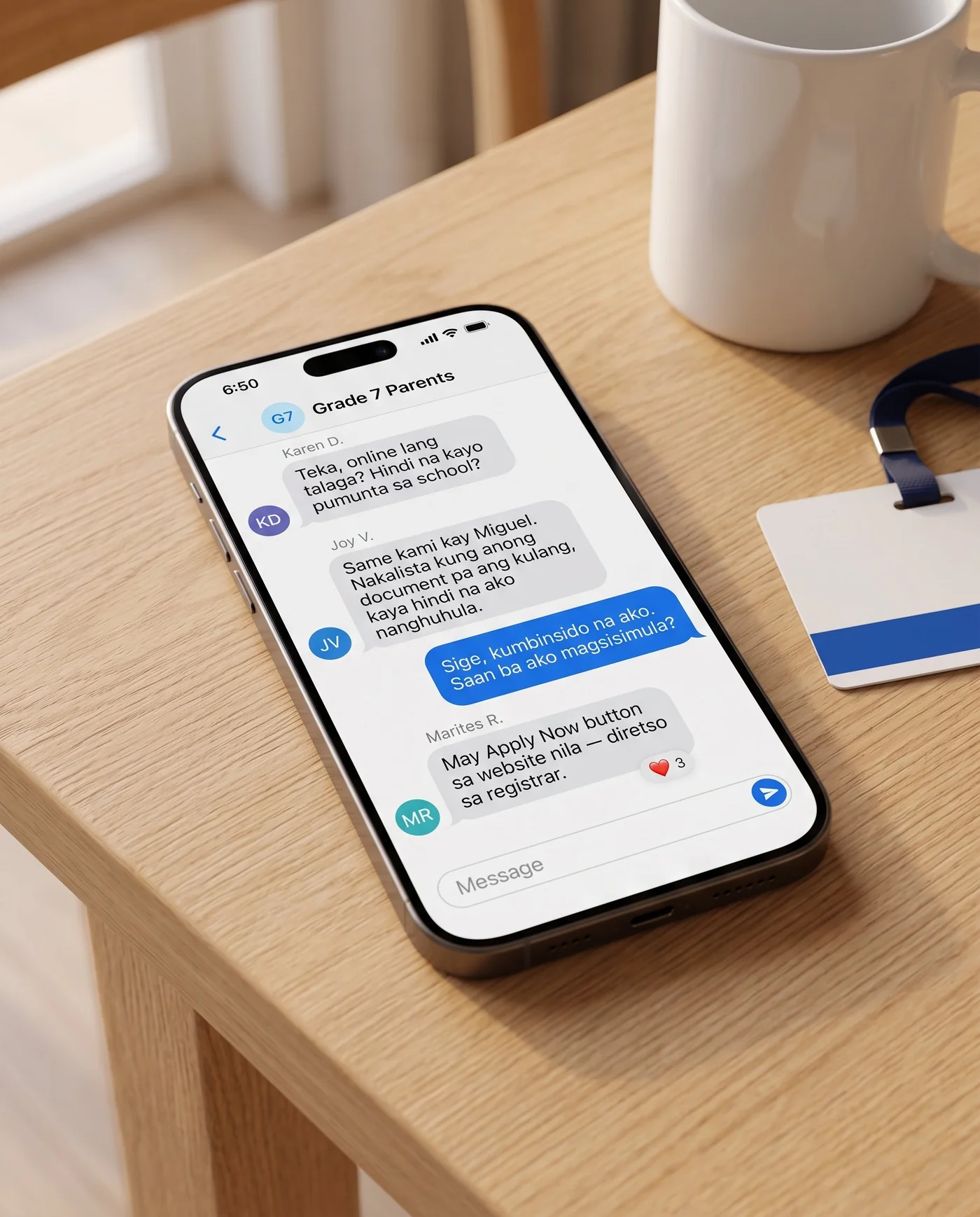
Parents notice. Parents talk. Enrollment follows.
Every gate alert, released grade, and effortless payment is a moment a parent tells another parent about. Alpas turns daily operations into the word-of-mouth that fills next year's sections.
This is the conversation you cannot buy.
Parents compare schools in threads exactly like this one, and it always ends on the same question: how do I enrol mine?
Campus safety
Every person on campus, accounted for.
A drill, a suspension, an earthquake, a campus lockdown. Declare it once and everyone in the school is alerted in the same moment — then the roll call opens with every person on campus unaccounted for, and stays open until each one is answered for.
Parents are told at the same time, and are never what the all-clear waits on.
See how the roll call worksOne alert, the whole school
Staff, teachers and students are alerted at once, in the app and by push.
Roll call from unaccounted
Everyone on campus starts unaccounted. Sections report safe, needs assistance or injured until the board is clear.
Run it as a drill first
The same alert and the same board in drill mode, so the real thing is never the first time anyone sees it.
For teachers and staff
Software your staff will actually thank you for.
Adoption fails when tools fight the people using them. Alpas gives teachers and staff less encoding, fewer forms, and no more chasing.
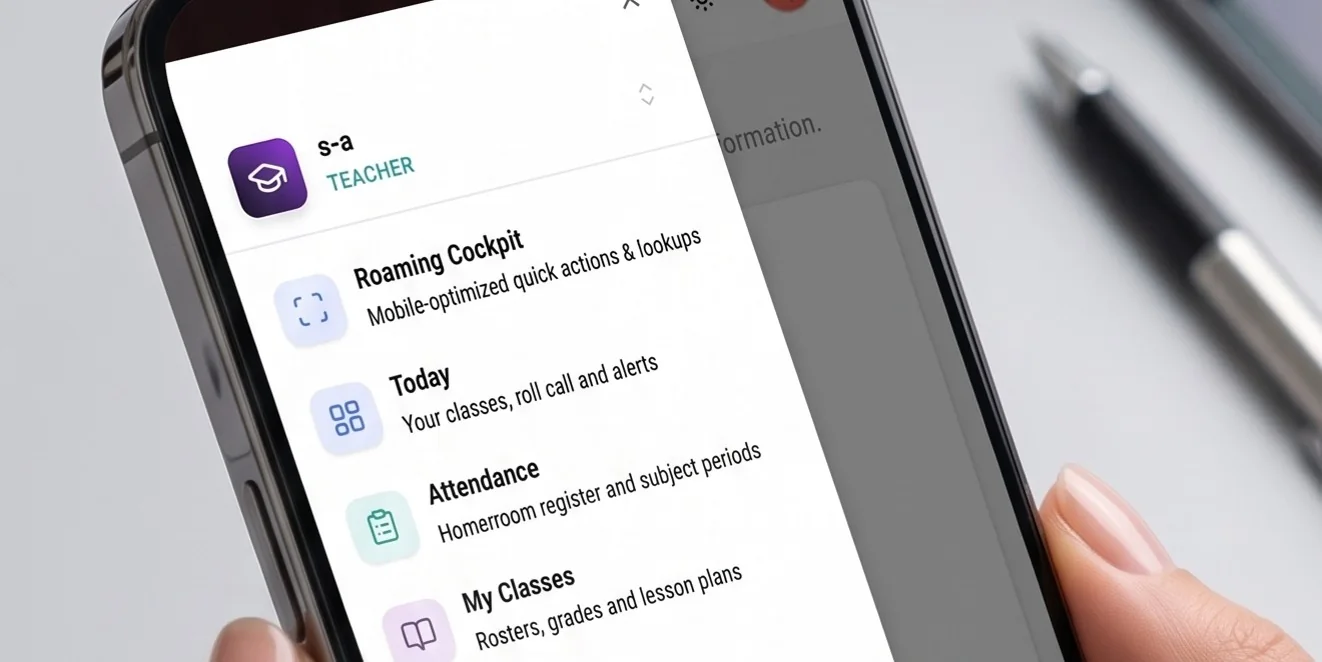
Grade encoding with drafts
Teachers encode into a draft and submit the record once, when it is ready.
Advisory in one place
Rosters, attendance, at-risk flags, and parent communication for every advisory class.
Lesson plans that start drafted
An AI first draft to edit instead of a blank page, and rubrics that score into the class record.
Leave without the forms
Staff file leave from their portal and watch balances update — no paper trail disputes.
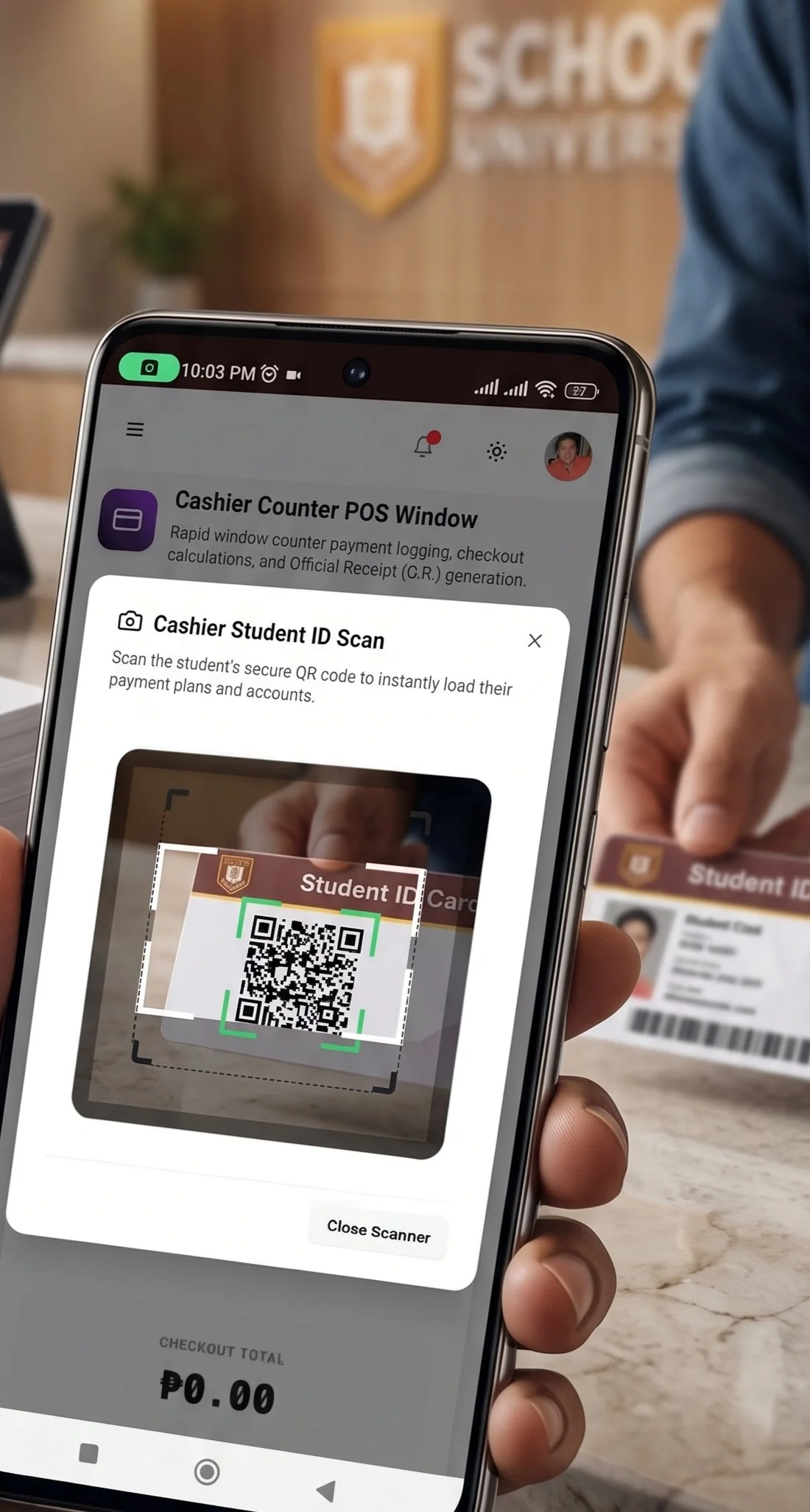
The ID card is the lookup.
The learner hands over the card they already carry. Scanning its QR code opens their account at the window — the ledger, the scheduled dues, what was paid and when — without a name to spell, a section to remember, or a list to scroll.
The same card is the one the gate reads when they arrive in the morning, and the same code the library takes when they borrow a book. One card, printed once.
Ask your current system
Eight questions for the system you use today.
Mark each one honestly. If it answers yes to every one, keep it. Wherever it says no, that is what to see in the demo.
When a teacher returns a quiz or project, does the score land in the class record by itself?
On Alpas, yes. The returned mark fills its Written Works, Performance Task or Quarterly Assessment column. Nobody encodes it a second time, and a draft mark stays out until it is returned.
Can a parent see that coursework is missing before card day?
On Alpas, yes. Each linked parent can see their child's coursework and where it stands: graded, handed in, missing or still to do.
When a learner taps their ID at the gate, does the parent see it on their phone?
On Alpas, yes. Every RFID or QR scan at the gate reaches the linked parent in the parent app.
Does your report card come straight out of the class record?
On Alpas, yes. DO 8 weights and transmutation compute each grade, and the SF9 prints from it, attendance included. Card day is generated, not typed.
When the registrar approves the grades, do parents see the card that evening?
On Alpas, yes. Nothing reaches a parent before the registrar approves it. Once they do, every family has the card in the parent app, with no queue at the window.
Can a paper Form 137 photographed at the window become a draft record?
On Alpas, yes. The scan becomes a draft the registrar checks and saves. Anything it could not read is left blank, never guessed, and an LRN that differs from the learner's record is flagged.
Does it tell you which voucher-eligible learners you never claimed for?
On Alpas, yes. Alpas lists every learner a voucher covers whom nobody marked as a recipient, anyone marked under a programme the voucher does not cover, and every claim still waiting for its money.
Can senior high learners pick their electives and be placed into classes?
On Alpas, yes. Learners choose their strengthened-curriculum electives, and their picks are placed into classes.
Your system
Mark each one for your system.
Yes, no or not sure. Nothing is saved or sent anywhere.
Before you book
Common questions.
What to settle before a demo: the tools you already use, grading rules, parents, emergencies, payroll, your data and payments.
Yes. Bring your Moodle courses in, and take them back out whenever you like. A Moodle course backup (.mbz) comes into a class as draft modules, and before anything is saved you see what will happen to every activity and question, with anything that can't come over listed and the reason. Any class goes back out as a Moodle course backup that Moodle 4.5 and 5.3 restore with no errors, and an owner or administrator can export a whole term at once. A question bank travels on its own as a Moodle XML or GIFT file, both ways. Another system's Common Cartridge export comes in the same way. A teacher can also bring in a class they teach on Google Classroom, signing in with their own Google account, read-only. Its topics, assignments, questions and materials arrive as drafts with their attachments, due dates and points. SCORM and H5P packages play inside the class page, teachers attach Google Drive, Docs, Slides, Sheets and Forms or YouTube videos, and a class item carries its Meet, Zoom or Teams link. Learners' accounts and work stay behind when a course moves.
See how a course moves in and outSee it with your school's name on it.
A free walkthrough on a demo set up for your school. No commitment, and your data stays yours.