For teachers and academic heads
Coursework that ends up in the class record.
Lessons, quizzes and hand-ins live on the same system as your grades. A returned mark goes into the DepEd class record and on to the report card, so nobody copies scores across at night.
Scores typed twice
Quiz results sit in one place and the class record in another, and someone copies them across before the deadline.
Modules that come back as a pile
Printed modules go home on Monday and return on Friday, and which learner answered what lives in a box by the faculty room.
Every section starts from scratch
Each teacher rebuilds the same lesson for their own section, and the best one never reaches the others.
Returned once. Counted where it should be.
Quiz · Fractions
Returned to Andrea
18 / 20
Auto-marked; the essay item waited for the teacher.
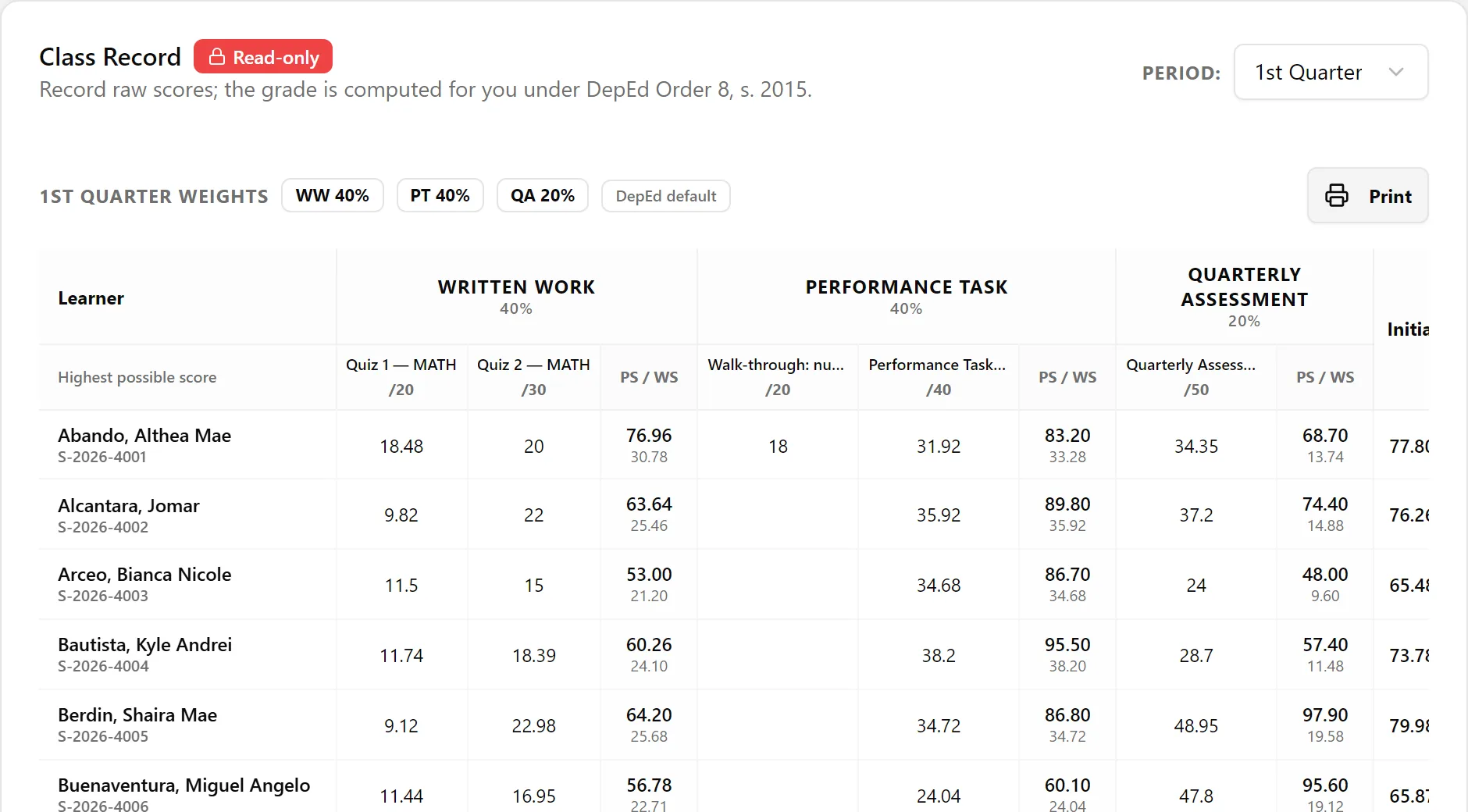
Class record · Mathematics 5, Q2
Written Works column
18 / 20
Filled when the mark was returned, never while it was a draft.
SF9 report card
Second quarter
DO 8
Weights, transmutation and the descriptor, once the registrar approves.
Illustrative: a fictional basic education class. In college, the mark lands in the class-record component that takes coursework and counts toward the period grade.
Bring your Moodle courses in, and take them back out whenever you like.
In
A Moodle course backup (.mbz) comes into a class as draft modules.
- Pages, books, files, links, assignments, forums as discussion prompts, and quizzes with their questions.
- Before anything is saved, you read what will happen to every activity and question. What can't come over is listed, with the reason.
- Undo it while it is still unpublished and untouched. The file you uploaded is kept.
Out
Any class goes out as a Moodle course backup, at any time.
- Its modules, readings, files, assignments and quizzes with their questions, as a .mbz that Moodle 4.5 and 5.3 restore with no errors.
- A teacher exports their own class. An owner or administrator exports a whole term in one zip.
- Every piece gets a line: as it was, changed and how, or not exported and why.
A question bank travels on its own too. A Moodle XML or GIFT export comes into your bank or the school's, and either bank goes back out as a Moodle XML or GIFT file that Moodle 4.5 and 5.3 import, answer keys included. Anything a format can't hold is listed at the top of the file.
Learners' accounts and work stay behind, both ways.
Google Classroom courses come in too. A teacher signs in with their own Google account, read-only, and picks a class they teach. Its topics, assignments, questions and materials arrive as drafts, with their Drive, YouTube and Forms attachments, due dates and points. Students' work and marks don't come over.
Moodle is a registered trademark of Moodle Pty Ltd. Google Classroom is a trademark of Google LLC. Alpas is not affiliated with Moodle or Google.
Also on every class page
- A class stream and threaded discussions
- Pen, highlight and comments on a hand-in
- Group work and anonymous peer review
- Co-teachers and an activity log
- Meeting links on an item
- Class suspension days move every due date
- Learner screens in English or Filipino
A week of teaching on Alpas
- 1
Start from what exists
Add a lesson from your school's library, or copy last year's course without its dates or learner work. Both arrive as drafts.
- 2
Post the work
To the class, a group or one learner, with open and due dates. A module can wait until the previous one is done.
- 3
Learners answer, online or off
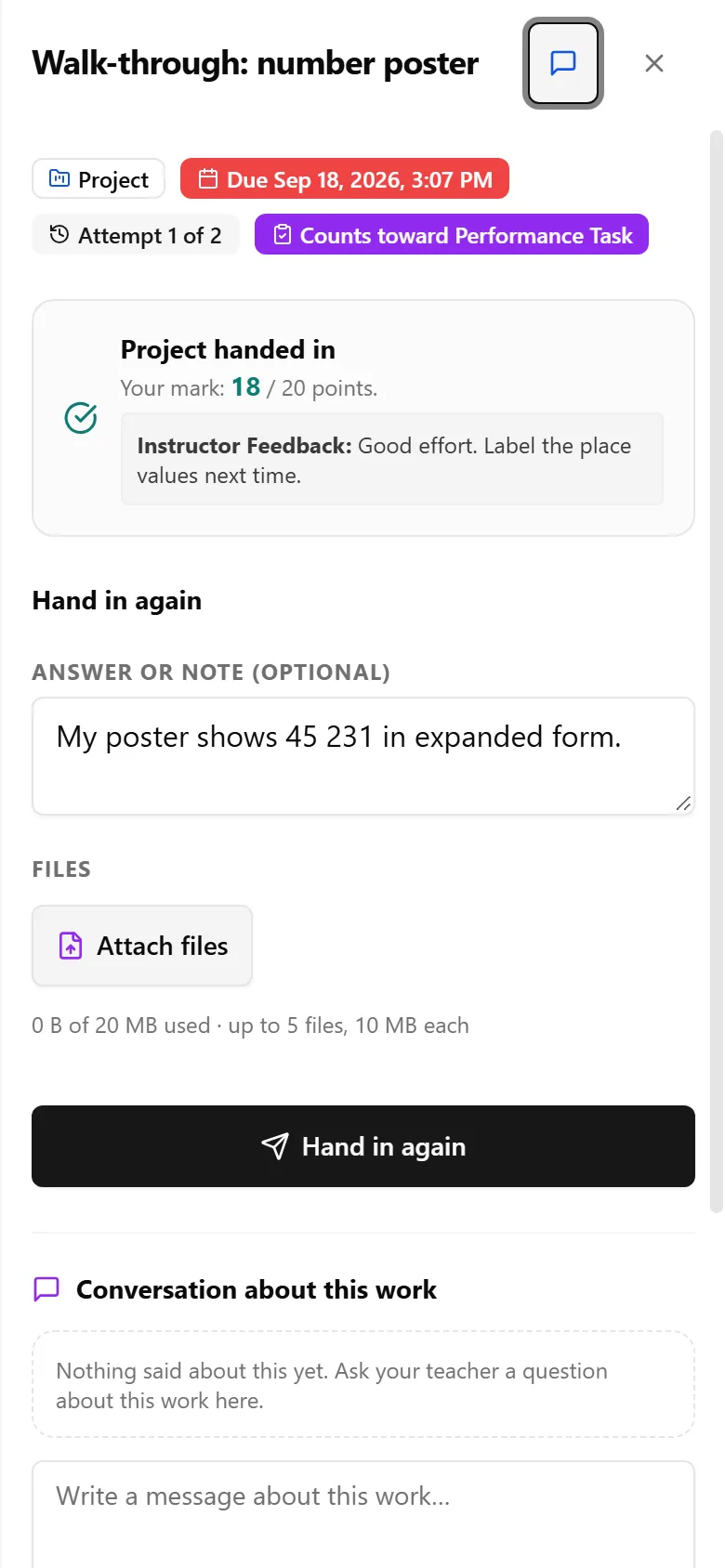
On a phone or a computer, saved for a week of poor signal, or on a printed packet you record when it comes back.
- 4
Mark in one drawer
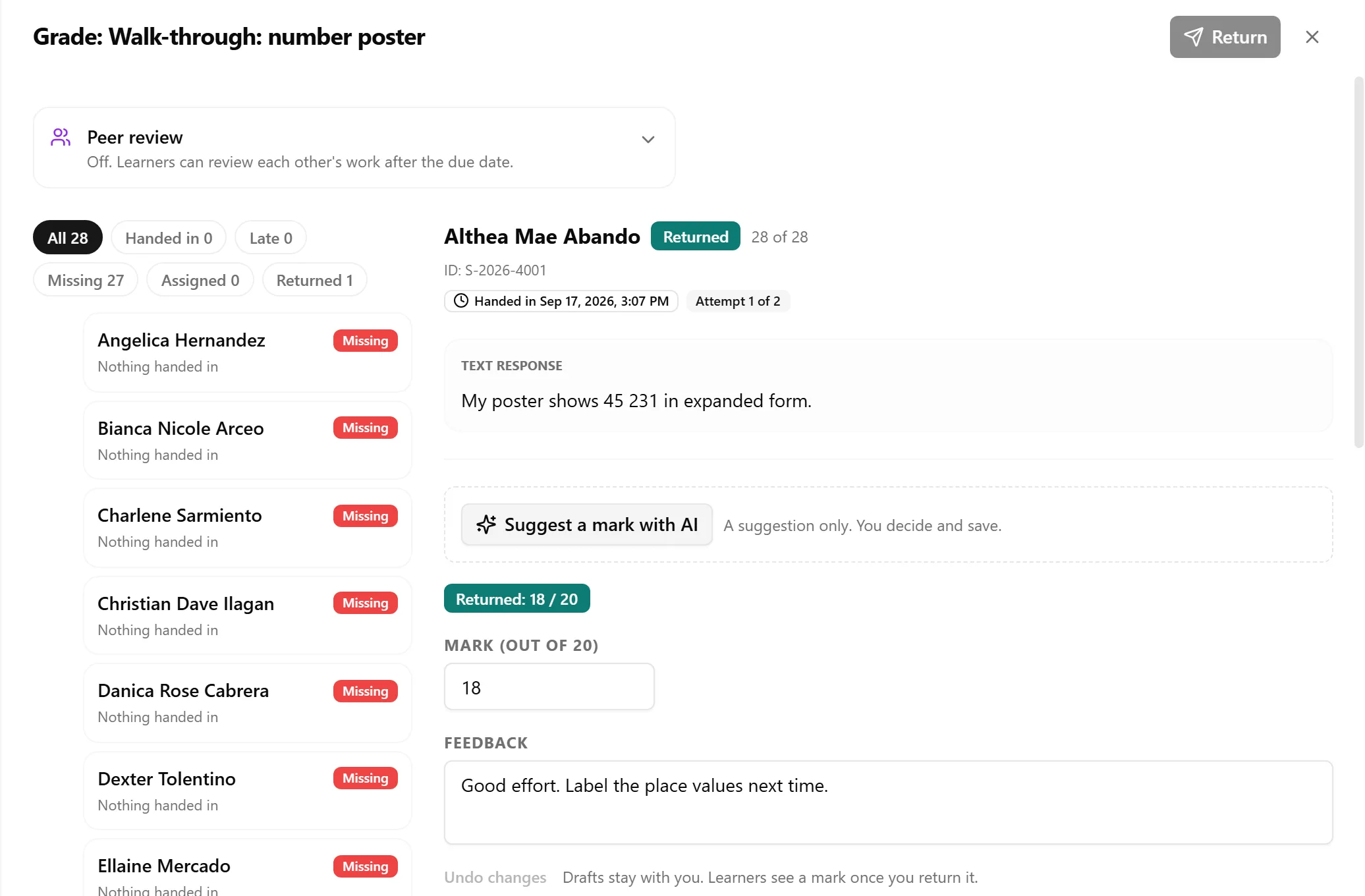
Most question types mark themselves. Essays, files and photos open beside the roster, and a draft mark reaches no one until you return it.
- 5
The class record fills itself
A returned mark lands in its Written Works, Performance Tasks or Quarterly Assessment column, and DO 8 does the rest. In college, it lands in the component that takes coursework and counts toward the period grade.
What the teaching desk holds
Nine question types
Multiple choice, multiple answer with partial credit, true or false, short answer, numbers with a tolerance, matching, essay, fill in the blanks, and labels dragged onto a picture. Learners never receive the answer key.
A question bank with item analysis
Your bank tagged by subject, grade and DepEd competency code, random pools per learner, and a school bank by subject. After a quiz: who got each item right, which options were picked, and the items that did not tell strong from weak.
Exam mode
One question at a time, no going back, a timer, and results held until you release them. You see when a learner left the tab; the log never marks anything. Online only.
A lesson library and blueprints
Publish a good module to your school's library; once approved, any teacher adds it as a draft. One class or the Budget of Work pushes to every section without overwriting what a section changed.
Mastery and learning paths
Work tagged to DepEd competencies shows who has mastered what (basic education). Unlock rules, extra time for the learners who need it, and remedial work sent only to the ones who scored low.
Phones, poor signal, or paper
Learners save the week's work and answer offline; it sends when the signal returns. Or print a modular packet per class and week, and record the paper hand-ins.
AI drafts, within a monthly allowance
Draft quiz questions from a module or a PDF and review them before they reach your bank; a study helper for learners on the class's open lessons. Each school has a monthly AI allowance, shown on every AI panel.
Certificates with a QR check
Issue a completion certificate when a learner finishes. Anyone can check its QR code on a public page, and a revoked certificate says so. Parents find it in the parent app, beside the child's coursework.
Bring your courses with you
A Moodle course backup or a Common Cartridge export comes in as draft modules, with a list of anything left out, and a teacher can bring in a class they teach on Google Classroom. Any class goes back out as a Moodle course backup. SCORM 1.2 and 2004 packages and H5P activities play inside the class page.
See a class from both sides.
The teacher's page and the learner's, on a demo school set up like yours.
Free, on a demo set up for your school. No commitment.